Works across apps
Translate system audio from browsers, streaming apps, podcasts, meetings, and videos.
Live translation for Mac
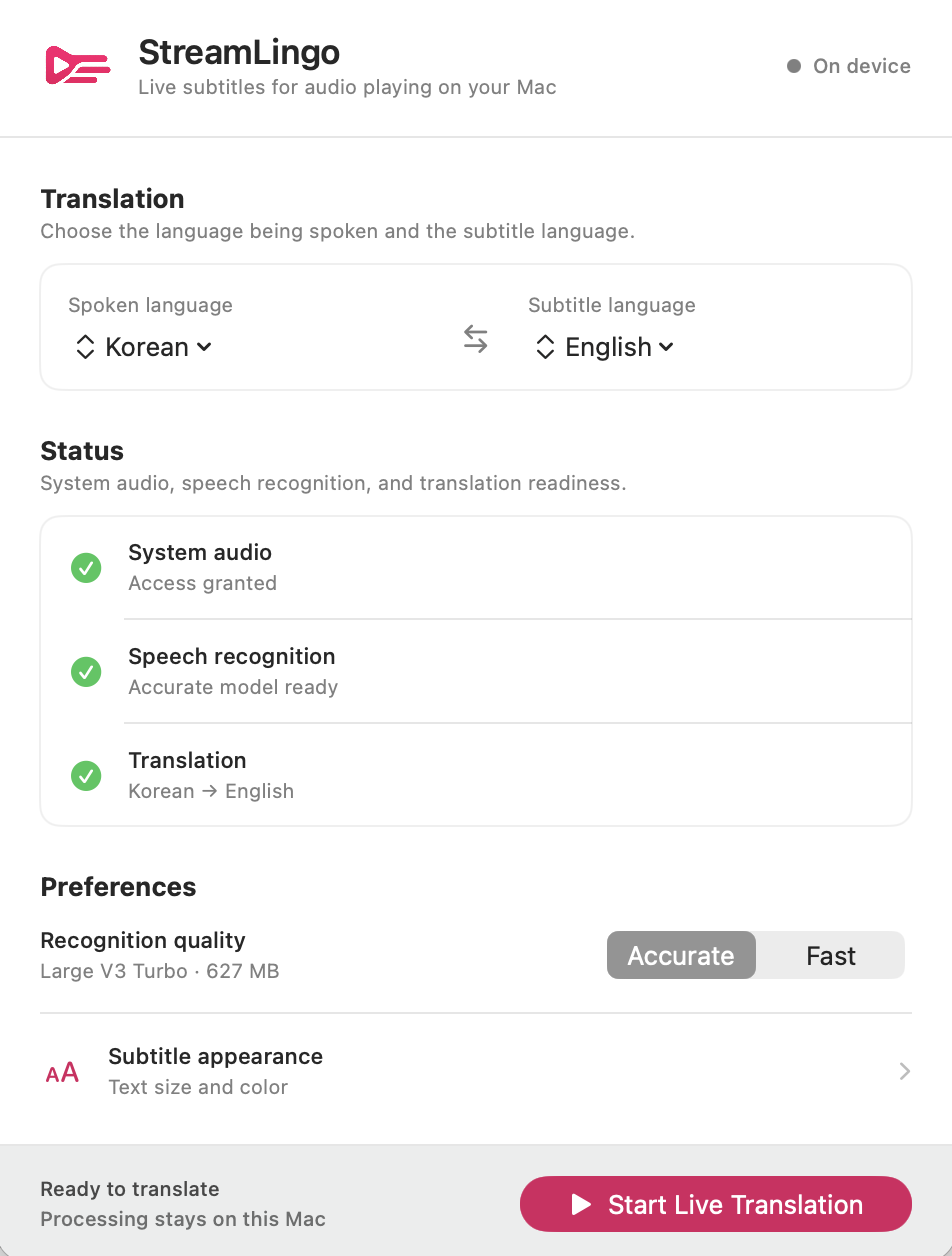
StreamLingo turns audio playing on your Mac into translated subtitles—so livestreams, interviews, and videos stay understandable in the moment.
Use it anywhere
StreamLingo works with audio from the apps you already use—no special player or platform support needed.
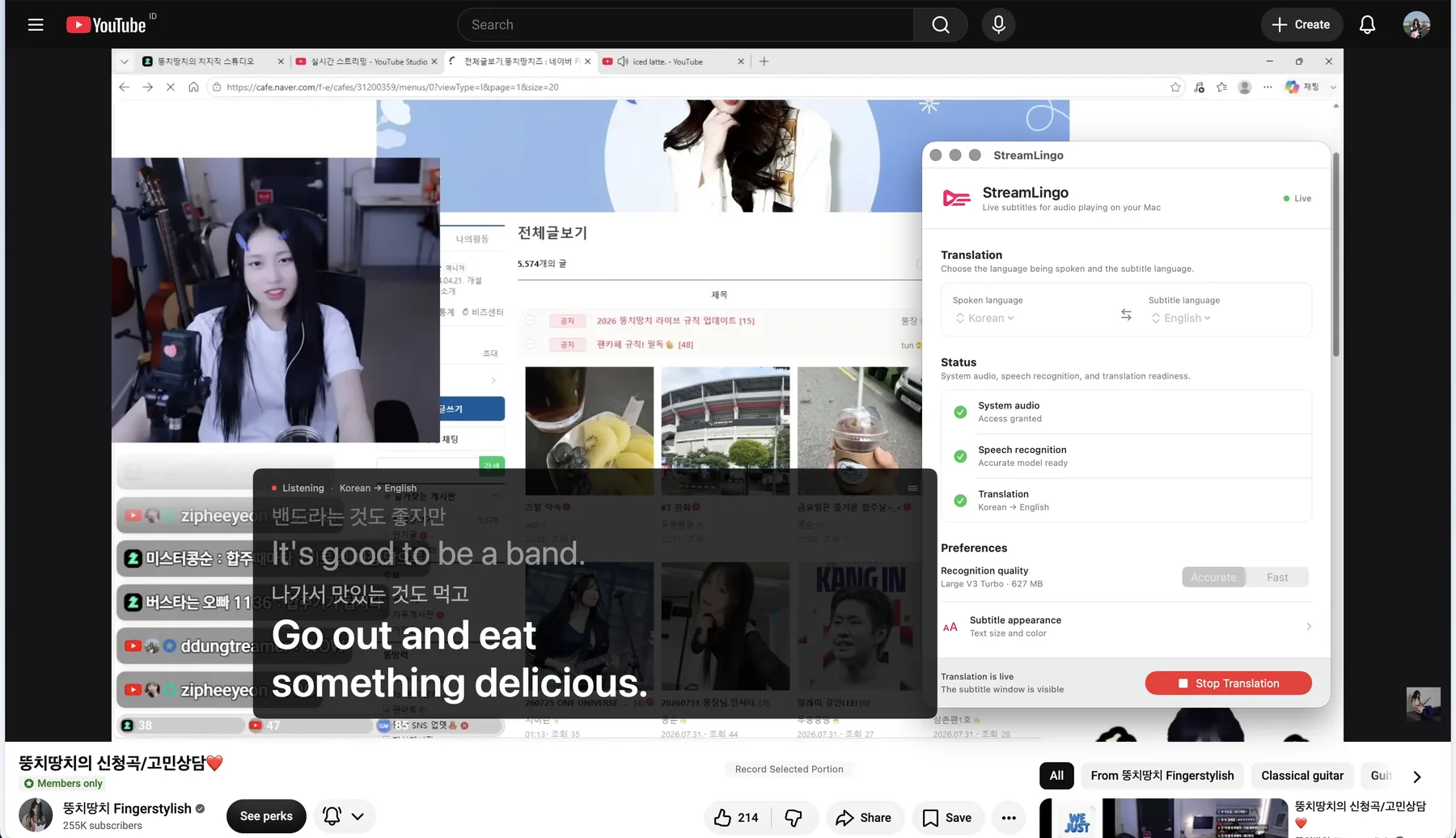
Follow livestreams while they happen, even when captions are unavailable.
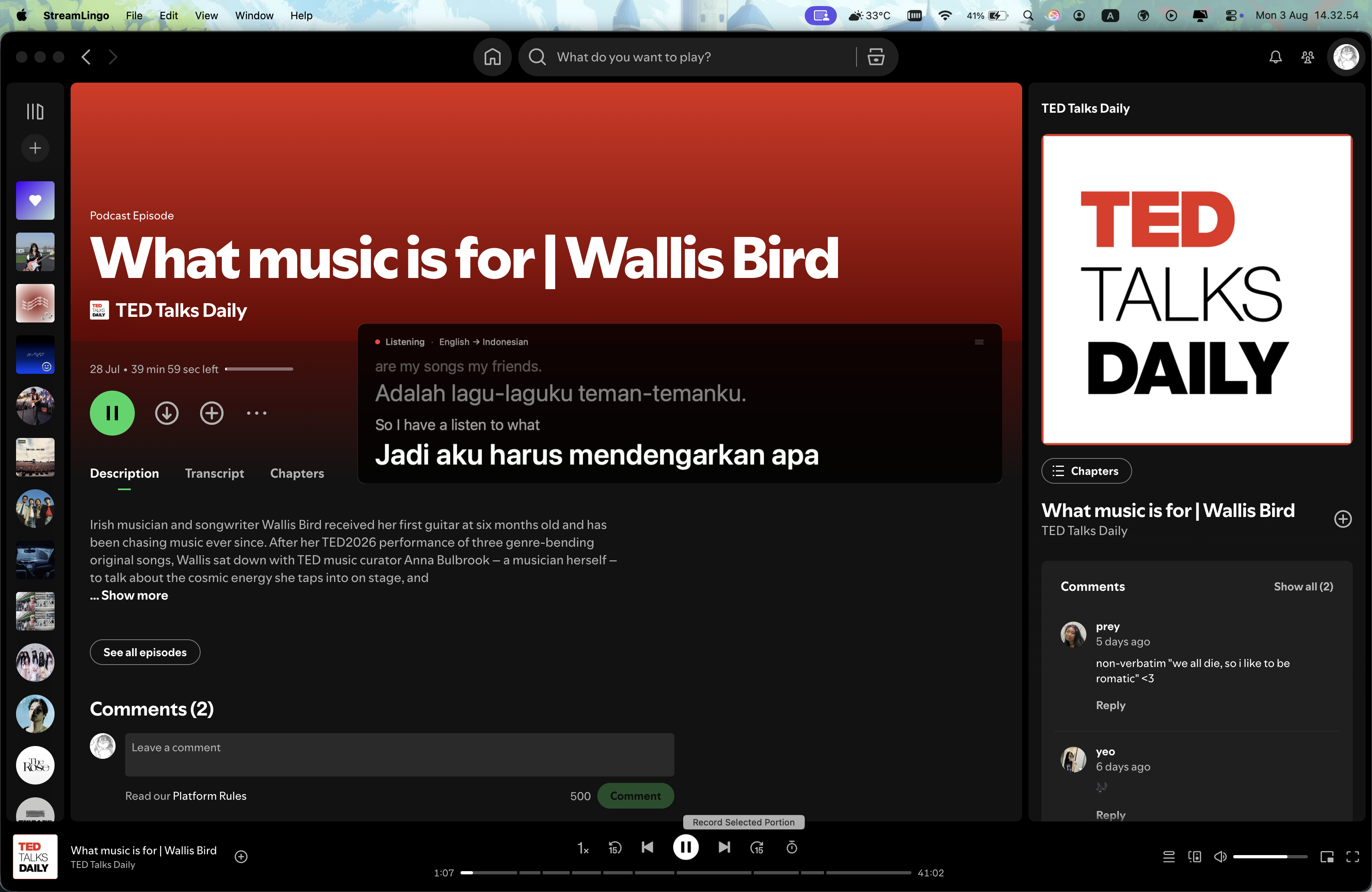
Understand podcasts and spoken audio without leaving the app you are using.
Made for the live moment
StreamLingo works beside the content you already watch. No uploads, copy-pasting, or creator integration required.
Translate system audio from browsers, streaming apps, podcasts, meetings, and videos.
Speech recognition and translation run locally. Your audio does not need to leave your Mac.
Move the subtitle window and adjust its text size and color while translation is running.
Three simple steps
Select what is being spoken and the language you want to read.
Play live or recorded content from any app on your Mac.
Translated subtitles appear in a floating window you control.
On-device by design
Everything happens directly on your Mac, so what you watch and hear stays private. After a quick setup, enjoy live subtitles without uploading audio or sharing your conversations.
Install StreamLingo
Download the current unsigned version, then follow these steps.
Double-click the downloaded StreamLingo-1.0.0-unsigned.dmg file.
Drag StreamLingo into the Applications folder shown in the window.
If macOS blocks it, open System Settings → Privacy & Security, then click Open Anyway.
Return to StreamLingo, click Allow System Audio, and follow the macOS prompt.
Why the extra confirmation? This build is unsigned and not notarized by Apple, so macOS may ask you to approve it manually. Only install StreamLingo from this official download page. Read Apple’s instructions.
Every stream, in your language
Designed for macOS 15+ on Apple Silicon.
Download Now